
40 easy pixel art ideas: cute, small things to draw, with grid sizes
The easiest pixel art ideas are small, simple shapes with only a few colors: a heart, a star, a mushroom, a cat's face. Start on an 8×8 or 16×16 grid with 3 to 5 colors, and move up to 32×32 and 64×64 when you want more detail.
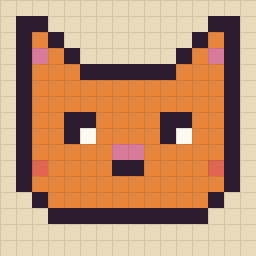
Which grid size should you pick?
- 8×8 (64 pixels): icons and tiny symbols. 2 to 4 colors, about 5 minutes. The best place to start.
- 16×16 (256 pixels): small, cute objects and faces. 4 to 6 colors, 10 to 20 minutes. Room for eyes, a shadow and a highlight.
- 32×32 (1,024 pixels): characters and little things with details. 6 to 12 colors, about an hour.
- 64×64 (4,096 pixels): whole scenes with a sky, ground and light. 12 colors or more, an evening or two. Nice to share with someone.
8×8: tiny pixel art ideas (1–10)
At 8×8 every pixel counts, so pick shapes that read as a silhouette. Symmetric things are easiest: draw one half, then mirror it.
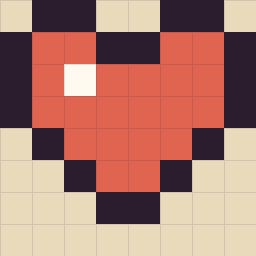
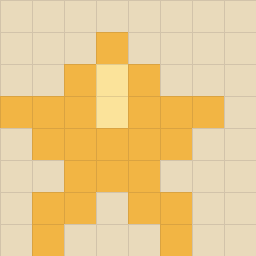
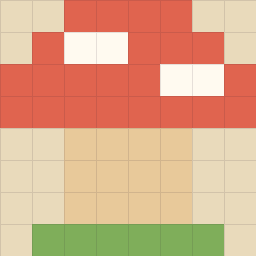
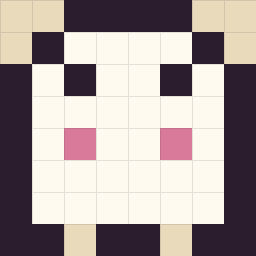
- Smiley face: a yellow circle, two dots and a curve. Try a wink or a surprised "o".
- Sun: a 4×4 circle in the middle with one-pixel rays on each side.
- Raindrop: a blue teardrop with one white pixel as the shine.
- Leaf: a diagonal oval in two greens, with the vein as a line of the darker one.
- Key: a round handle, a long line and two teeth. Good practice for straight lines.
- Moon: a crescent is a full circle with a second circle "cut out" of one side.
16×16: small, cute pixel art ideas (11–22)
16×16 is the classic size for cute pixel art: big enough for a face and a highlight, small enough to finish in one sitting.
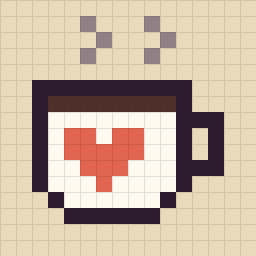
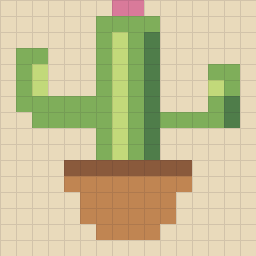
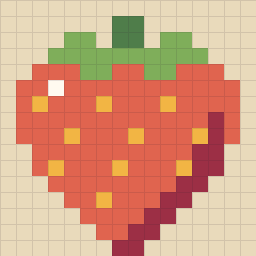
- Cupcake: a paper cup in stripes, a swirl of frosting and one cherry on top.
- Frog: a wide green face, two eyes sitting on top of the head, a thin smile.
- Potion bottle: a round flask, a cork and a bright liquid with a white shine.
- Avocado: half an avocado: dark rim, light green, and a brown stone in the middle.
- Tulip: three petals, a long stem and one leaf. Use two shades for the petals.
- Bunny face: long ears with pink insides, small eyes and a tiny nose.
- Cloud with a rainbow: a white cloud and a short rainbow, one row per color.
- Sushi: a white rice block, a strip of fish, a band of dark seaweed.
32×32: cute pixel art with more details (23–32)
At 32×32 you can add shading, a small background and more than one object. Sketch the big shapes first, then add details.

- Sunset over a lake: bands of warm sky, a half sun, and its reflection broken into lines on the water.
- A little house: a front wall, a roof, a door, two windows with warm light and a chimney.
- Sleeping cat: a curled-up loaf of a cat with a tail wrapped around it.
- Ice cream cone: two scoops in different flavors, a cone with a cross-hatch pattern.
- Houseplant: a monstera or a trailing pothos in a patterned pot.
- Teapot and cup: a round teapot with steam, a small cup beside it.
- Treasure chest: wood planks, gold corners and a few coins spilling out.
- A cozy window: a window frame with rain outside and a candle on the sill.
- Penguin: a round black-and-white body, an orange beak and feet, maybe a scarf.
- Tiny island: a patch of sand, one palm tree and a ring of light water around it.
64×64: pixel art scenes (33–40)
64×64 is a small painting. You can show a whole place with a sky, light and shadows. These are the pictures in the PixyPlace gallery; you can paint any of them, pixel by pixel.


- Your street: the view from your window, simplified into blocks of color.
- A beach at noon: sea in three blues, sand, an umbrella and a towel.
- A forest path in autumn: orange and red trees, a path that gets smaller into the distance.
- A night city: dark buildings with lit windows and a big moon.
- Your own photo: turn a favorite photo into pixel art and paint it in by hand. PixyPlace turns a photo into pixel art from 32×32 up to 256×256, keeping the photo's own colors.
6 tips for your first pixel art
- Use few colors. 3 to 5 colors make small pixel art look cleaner. Add a new color only when you need it.
- Outline in a dark color, not pure black. A very dark purple or brown looks softer and more "aesthetic".
- Pick one light source. Put highlights on one side (top-left is the usual) and shadows on the other.
- Keep lines clean. In curves, steps should get longer or shorter evenly (1, 1, 2, 3), not jump around.
- Draw big shapes first. Block in the silhouette, then the colors, then details last.
- Zoom out often. Pixel art is meant to be seen small. If it reads at a glance, it works.
Draw these together
Pixel art is more fun with someone. On PixyPlace (we make it, and every picture on this page was painted in its palette) you and one other person paint on the same small canvas from your own phones and see each other's pixels appear live. Start a world and draw any idea above together, or open a drawing room and paint one of the gallery pictures side by side. It's free, in the browser, with no account.
Questions
What is easy to draw in pixel art?
Small, simple, mostly symmetric shapes with few colors: a heart, a star, a mushroom, a ghost, a smiley, a cat's face, a coffee mug or a strawberry. Start on an 8×8 or 16×16 grid.
What size should my first pixel art be?
Start with 8×8 or 16×16. Small grids force simple shapes and you finish quickly. Move to 32×32 for characters with details, and 64×64 for whole scenes.
How many colors should pixel art use?
2 to 4 colors for 8×8, 4 to 6 for 16×16, around 6 to 12 for 32×32, and 12 or more for a 64×64 scene. Fewer colors usually look cleaner.
What can I draw on a 16×16 grid?
Cute objects and faces: a cat, a bunny, a frog, a coffee mug, a cupcake, a strawberry, a cactus in a pot, a potion bottle or a tulip.
Can I draw pixel art with a friend online?
Yes. PixyPlace is a free pixel canvas for two people: send a link and you both paint on the same canvas from your own phone or computer, live or at different times.
Paint your first pixels together
Make a world, send the link to your person, and start with a tiny heart. It takes a minute and it's free.